
Draw it, chart it, meet Omnia.
This release brings charts, diagrams, and whiteboards straight into your documents, plus a small orange friend who keeps you company while you work. The gallery and social posts got easier to use, and chat got quicker while spending fewer Sparks. Here is what shipped, written for people who would rather make things than read about code.
01Say hello to Omnia, your new desk buddy
Meet Omnia Pet, a little octopus who lives in the corner of your screen. Omnia keeps you company through the work, the play, and everything in between. Start a chat and Omnia pulls out a laptop to type along. Generate an image and out comes a paintbrush. Leave your desk for a while and Omnia dozes off until you return.

Click to play, drag Omnia anywhere you like, or give a gentle rub to pet. Head to Settings, Omnia Pet to make Omnia your own. Pick from six colors, set the size, turn the sound on or off, and choose one of six personalities.
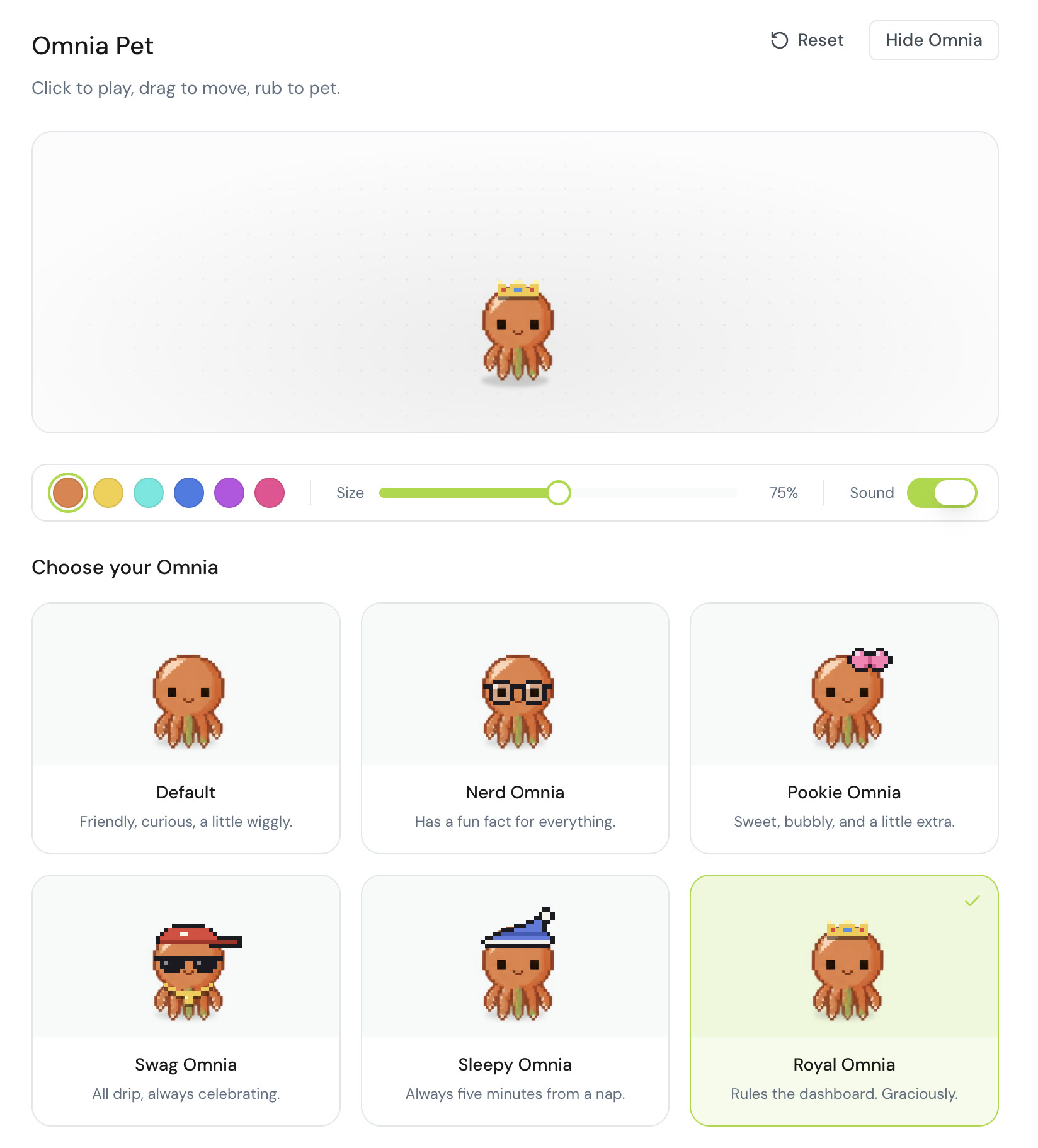
- Default. Friendly, curious, a little wiggly.
- Nerd Omnia. Has a fun fact for everything.
- Pookie Omnia. Sweet, bubbly, and a little extra.
- Swag Omnia. All drip, always celebrating.
- Sleepy Omnia. Always five minutes from a nap.
- Royal Omnia. Rules the dashboard. Graciously.
Need to focus? One click on Hide Omnia and the pet steps away until you call it back.
02An editor that draws
The editor got its biggest update yet. You can now build charts and diagrams right inside your document, with no spreadsheet and no copy and paste. Type /, choose a chart, describe what you want, and it appears in place. Bar charts, line charts, funnels, KPI tiles, and more, all in your brand colors.
Your charts stay part of the document. Teammates can comment on any piece of them, and they look just as good when you download the document for Word.
@CambrianEdge.ai now works anywhere you write. Mention it in a comment thread with a request like "make this punchier" or "turn these numbers into a chart" and it makes the change for you, right there in the document. Type it on its own line and it writes straight into the page.
Then there are Whiteboards. Open a new board tab and sketch ideas, map out a plan, or draw a diagram with shapes, arrows, sticky notes, and images. Your team can join in at the same time and see each other's cursors move. Ask CambrianEdge to draw a flowchart or tidy up a messy sketch, and it does the drawing for you.
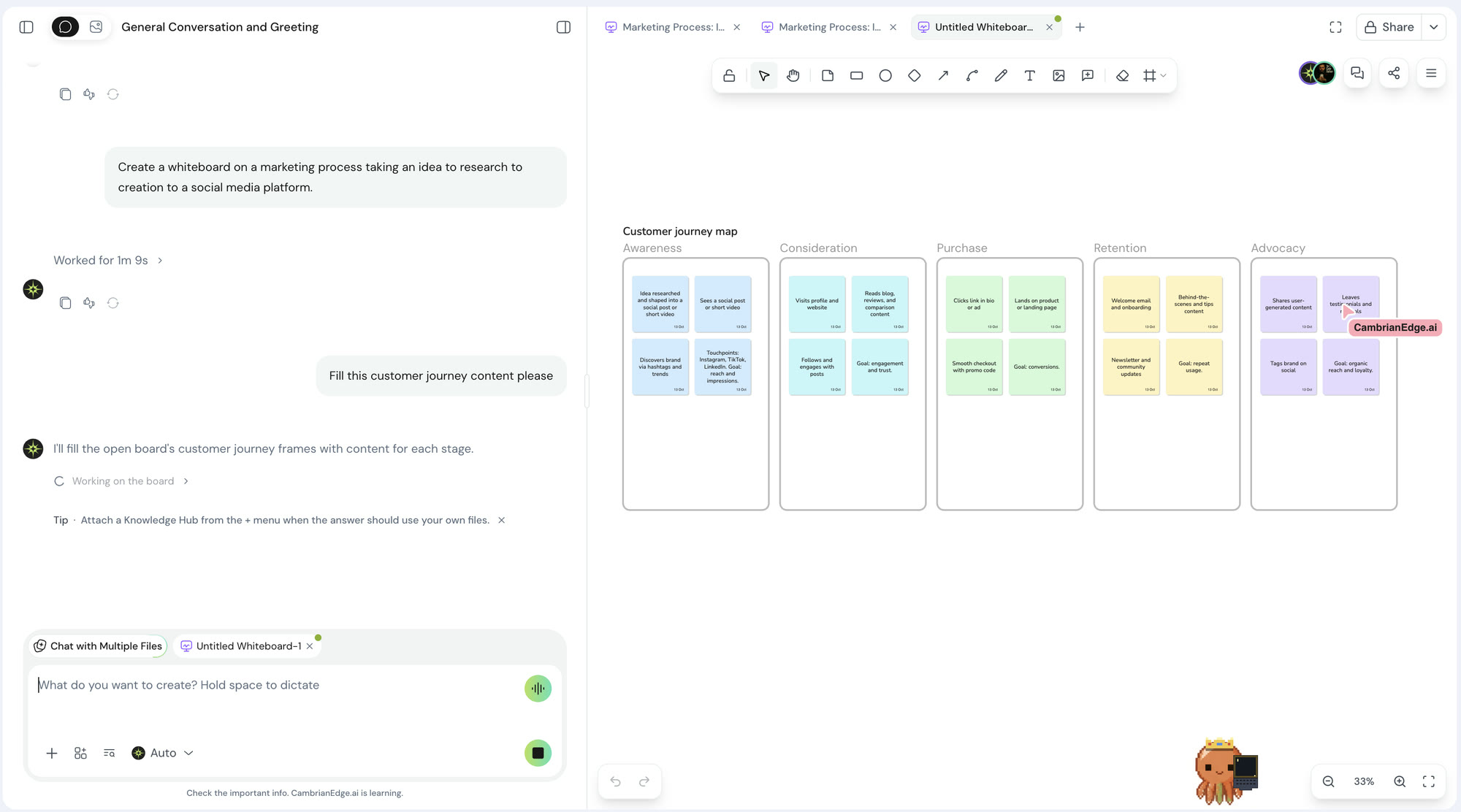
- Comment on anything. Pin a comment to a shape on a board or to a single cell in a table, and mention a teammate to pull them in.
- Go back in time. Every board and document keeps its version history, so you can name a version and bring it back whenever you like.
- Share it your way. Download a board as a picture, drop it into a document, or publish a live link that anyone can view.
- Bring the rest of your work in. Boards can show Loom videos, Google Docs, Spotify playlists, and Calendly pages alongside your drawings.
03A simpler gallery, and easier videos
The gallery got a cleaner layout so you can get from an idea to a finished image or video with fewer clicks. Switch between Image and Video at the top, pick a style, choose a model, describe what you want, and press Generate. The cost in Sparks shows on the button before you commit.
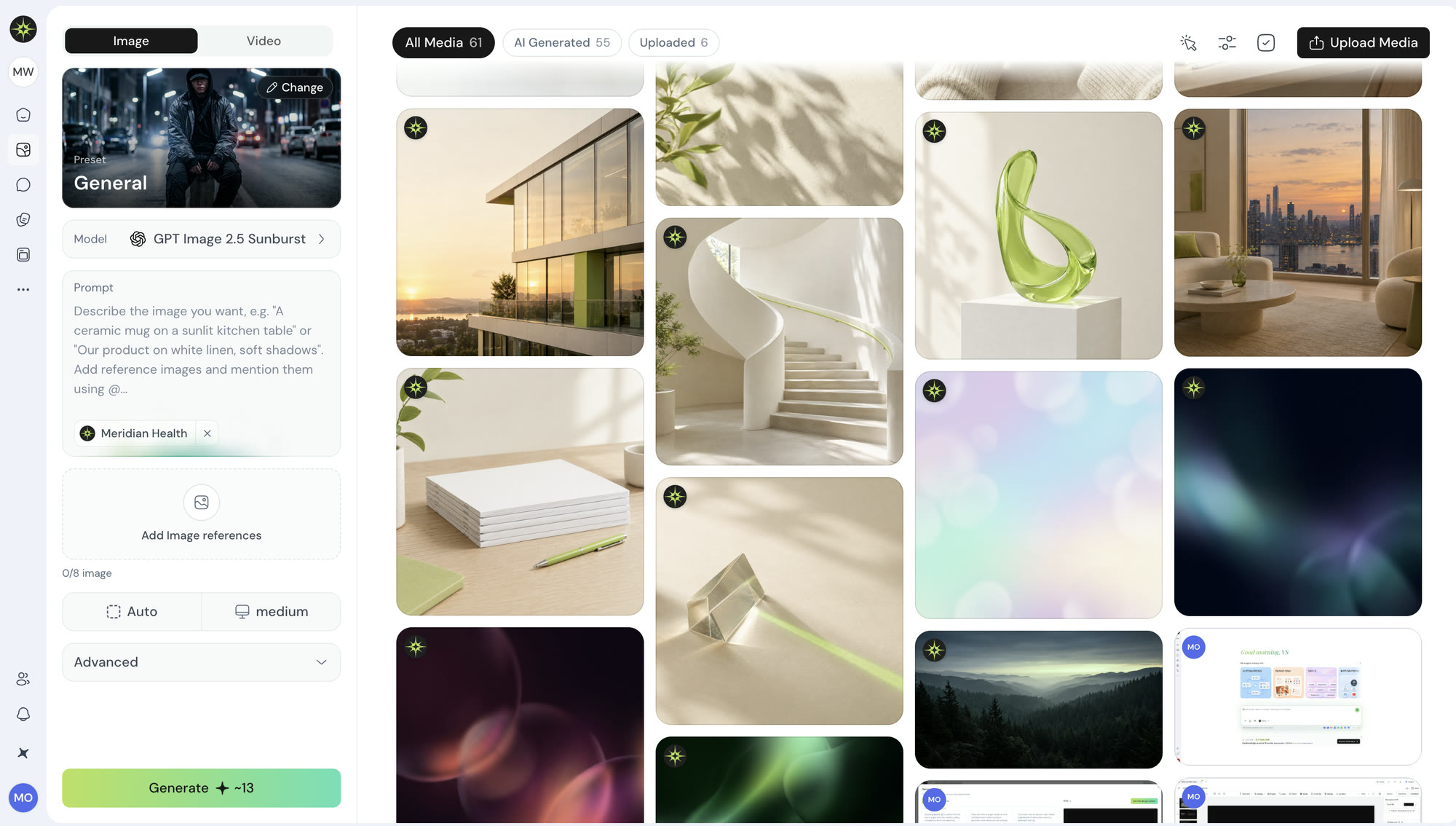
A few things that make it easier:
- Only the options that work. Each model shows just the sizes and settings it supports, so you never pick a combination that fails.
- Your brand in every video. Videos now use your Brand DNA, logo included.
- Nothing lost on a refresh. A video that is still being made keeps going if you reload the page, and when something goes wrong you get a clear message about what to try next.
04Social posts, side by side
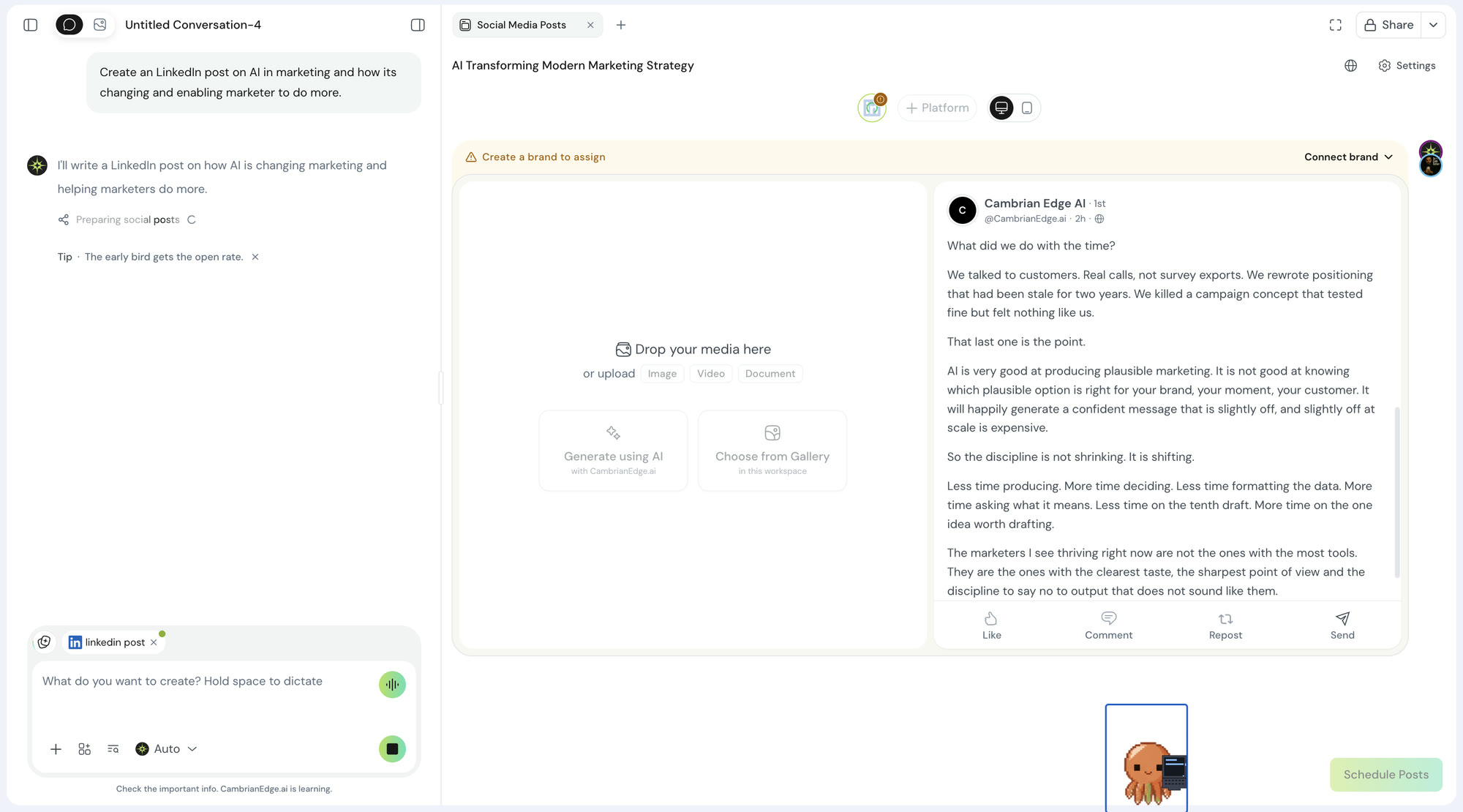
Social posts now open in a wide view, with your image on one side and your words on the other. You can read the whole post and look at the picture at the same time, without scrolling back and forth.
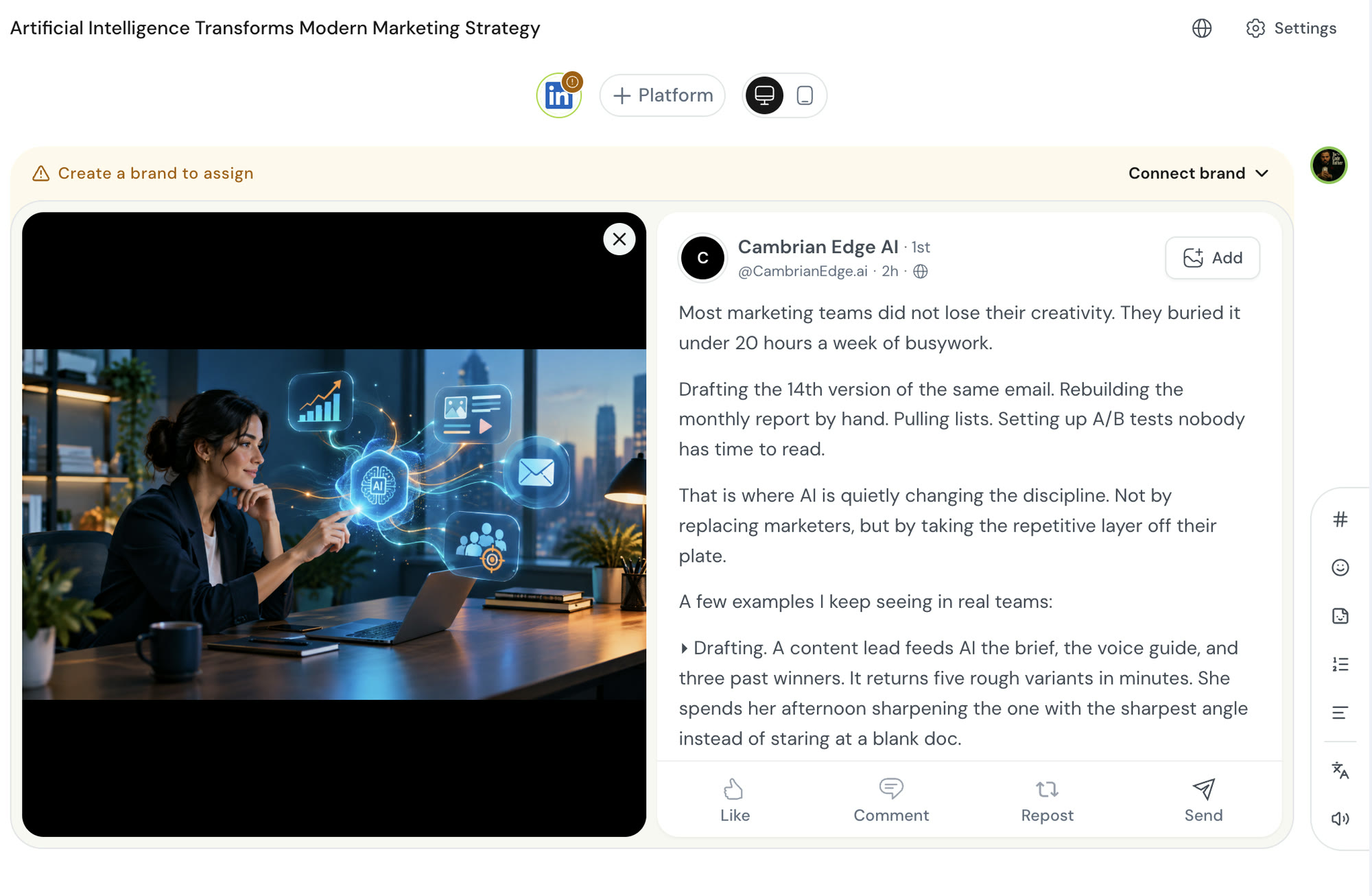
Want to know how it will look on a phone? Tap the phone button next to + Platform to switch to mobile view, then tap the screen button to go back.
05A friendlier chat, with tips along the way
Chat got a fresh coat of paint. While CambrianEdge works on your request, you can see what it is doing step by step, and a short tip shows up underneath to help you get more out of the platform. Our favorite so far: the early bird gets the open rate.
06Less is more
Chat is now twice as fast. We trimmed the waiting between pressing send and seeing your answer, so replies arrive in about half the time.
It also does more with less. Chat now uses up to 60% fewer Sparks in some cases, which means your monthly Sparks go a lot further. Social posts and research summaries come back sooner too.
07Also in this release
- Richer documents. Add dates, dropdowns, checkboxes, callout boxes, and a table of contents to any document. CambrianEdge can fill them in for you too.
- Your company templates, everywhere. Upload your PowerPoint templates to Brand Assets and every new deck can start from them. All 41 official deck designs also got fresh cover images.
- Clearer downloads. The export menu now names each format with its own icon, so you always know what you are getting.
- Smoother teamwork. Comments stay attached to their text when you cut and paste, folded sections stay folded, and uploads finish even when a teammate is editing at the same time.
Open a document, type / and ask for a chart. Omnia will be watching.
Stable 14 October 2026