Faster, and built around you.
This release is about how CambrianEdge feels. Every screen got rethought around the person using it, answers arrive sooner, and you can now see the impact of your content as it happens. On top of that, it builds real PowerPoint decks and turns research into a report you can actually read. Here is what shipped, written for humans who do not live in code.
01A new home, and a platform that makes sense
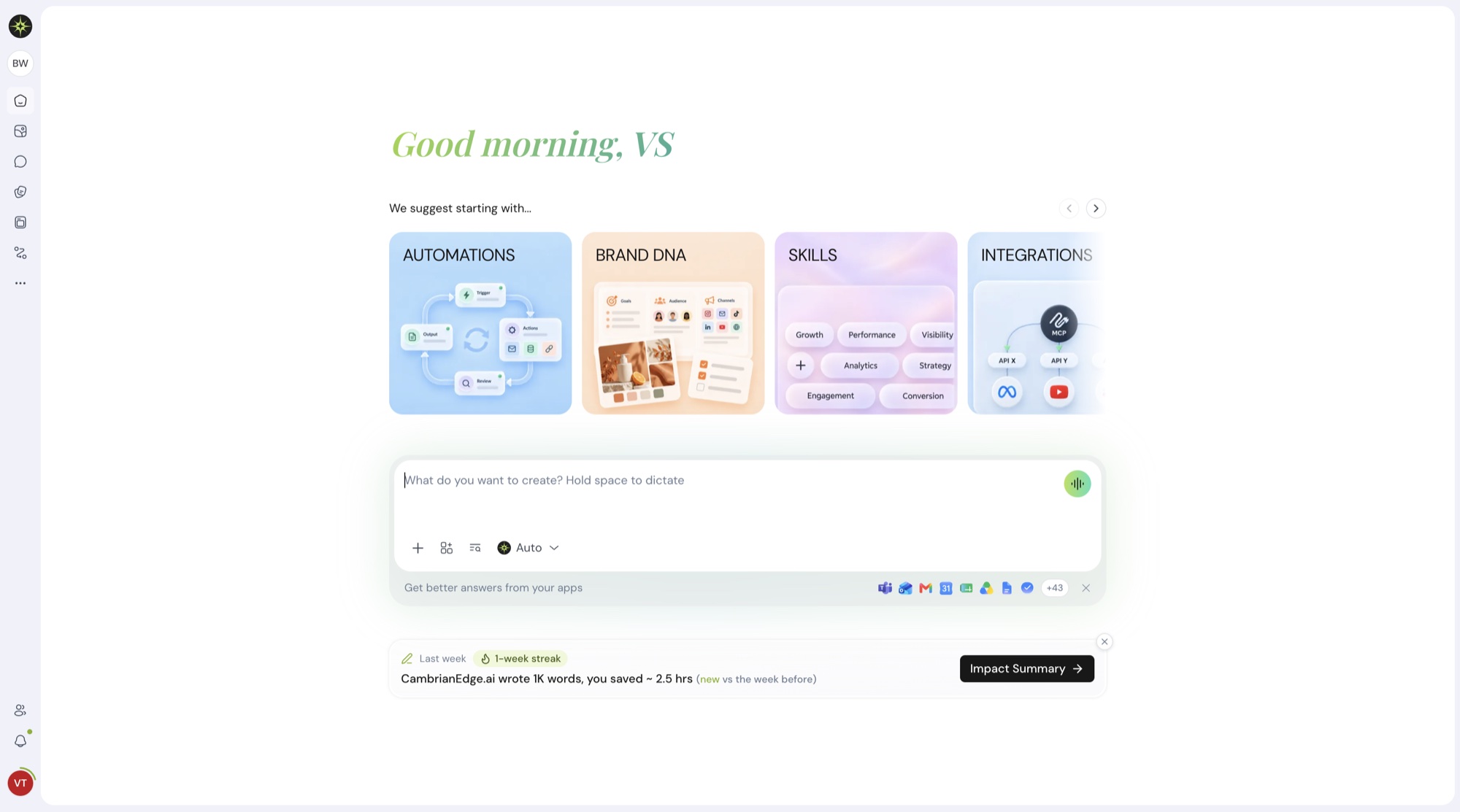
We went through CambrianEdge screen by screen and asked one question each time: what does the person here actually want to do next? The answer reshaped the whole platform, starting with the first screen you see.
The new homepage greets you by name and suggests where to start, with illustrated cards for Automations, Brand DNA, Skills, and Integrations picked for your role and your work. Below them sits one box for whatever you want to create, with your connected apps close at hand and a quick look at what CambrianEdge wrote for you last week.
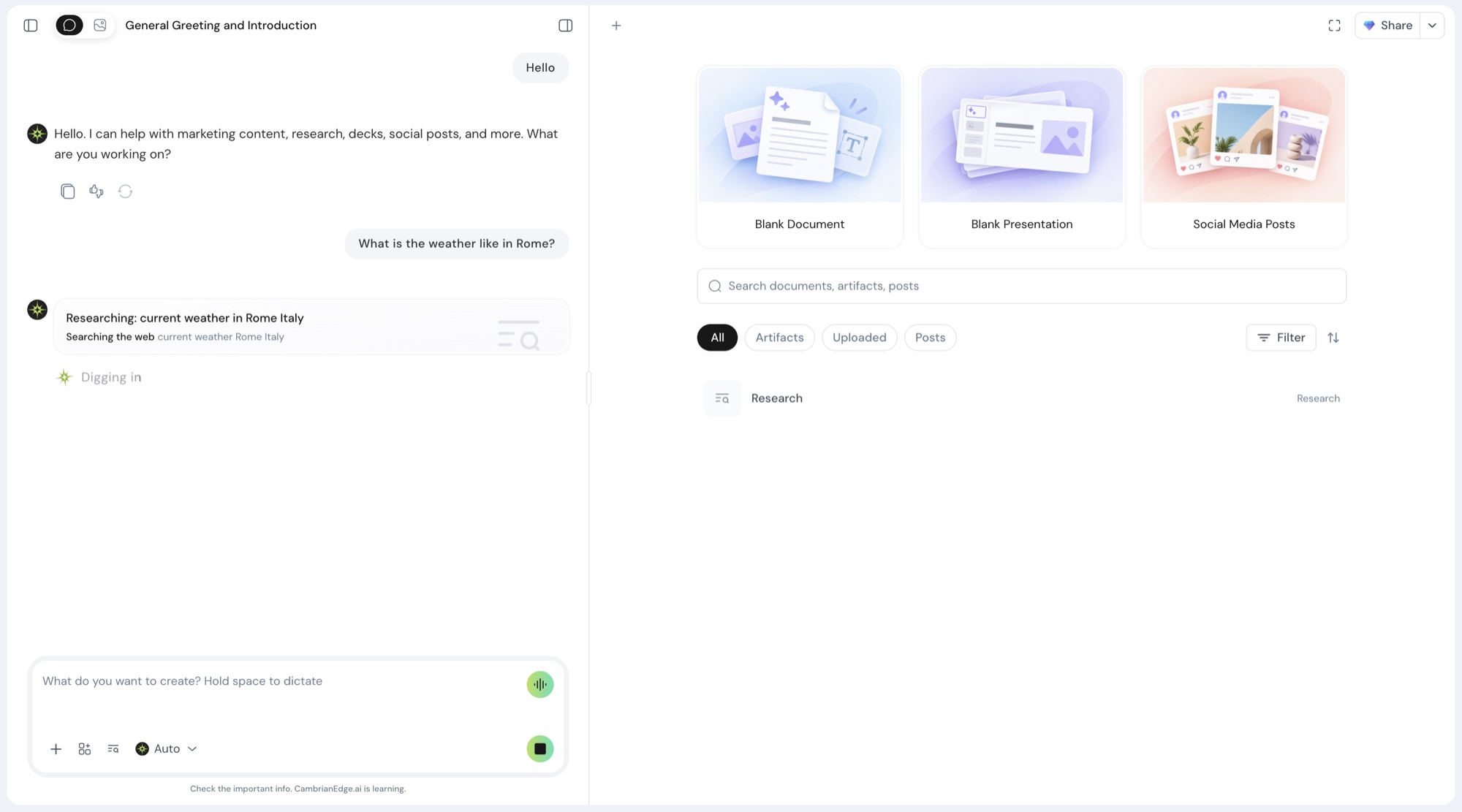
Inside a conversation, the chat sits on the left and your work on the right. Start a blank document, a presentation, or a batch of social posts in one click, and find everything you have made with a single search. The place where you type looks and behaves the same everywhere, and even empty screens now suggest something useful to do.
A few touches we are especially fond of:
- Guided tours. The first time you open a part of the platform, a short tour shows you around, then gets out of the way.
- Room to focus. Decks open full screen for editing, and research reports read like a well laid out page.
- A welcome that feels personal. Onboarding got new visuals, remembers what you tell it, and shapes your first dashboard around your answers.
02Content Impact: watch the work add up
Content Impact shows what CambrianEdge has written for you, in real time. Words written, pages produced, hours saved, and what it would have cost to do by hand, all on one page and all updating as you work. Images, videos, posts, and automation runs count too.
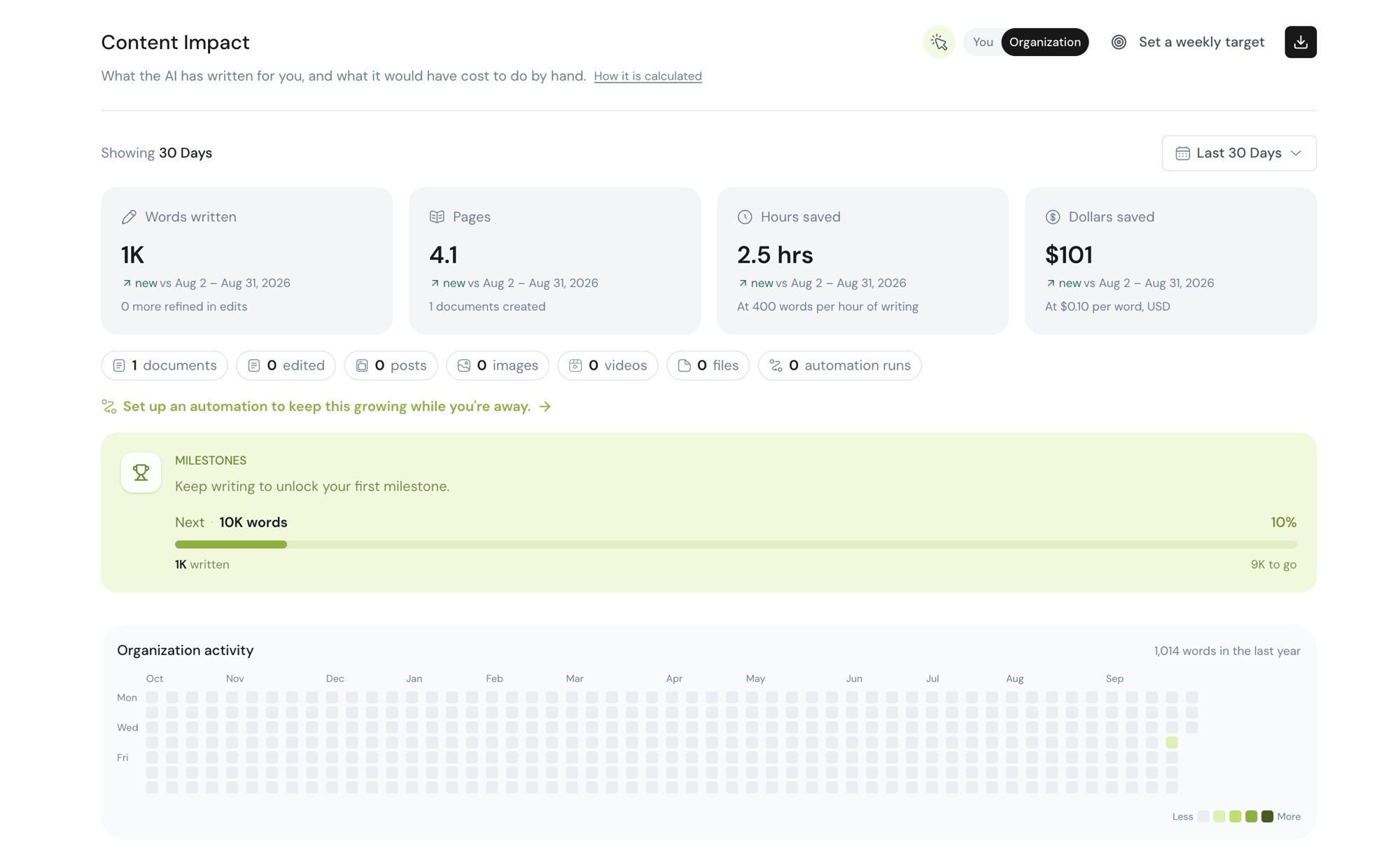
Set a weekly target and keep your streak alive. Milestones mark the big moments along the way, and an activity graph fills in day by day. Switch between your own numbers and your whole organization's with a single toggle, and download a report when the boss asks how it is going.
03Real PowerPoint decks, on request
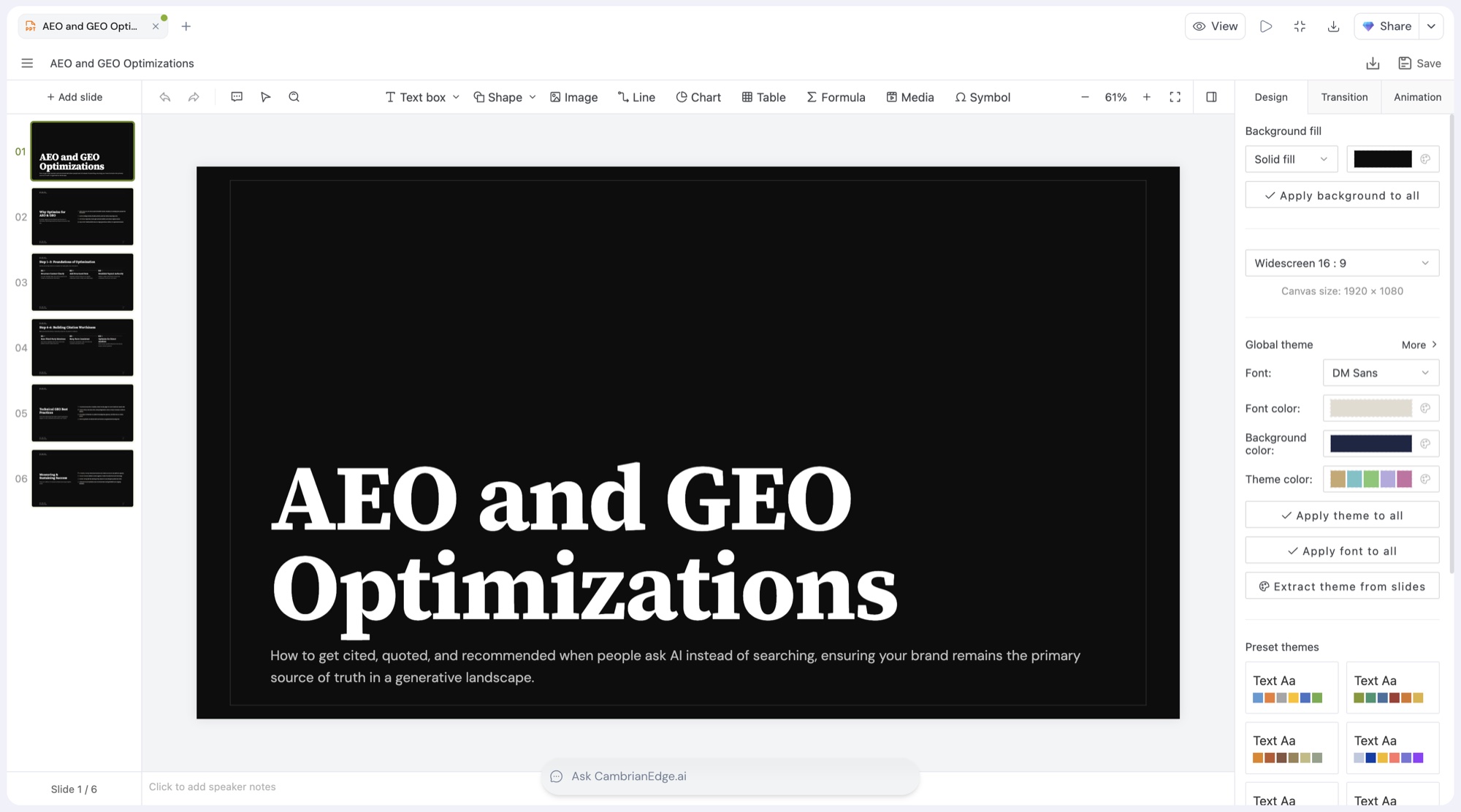
Ask for a presentation and you get a presentation. A proper PowerPoint file, slides and all, that you can download and open anywhere. You watch the deck take shape as it is being built, and the first complete version shows up before you have finished your coffee.
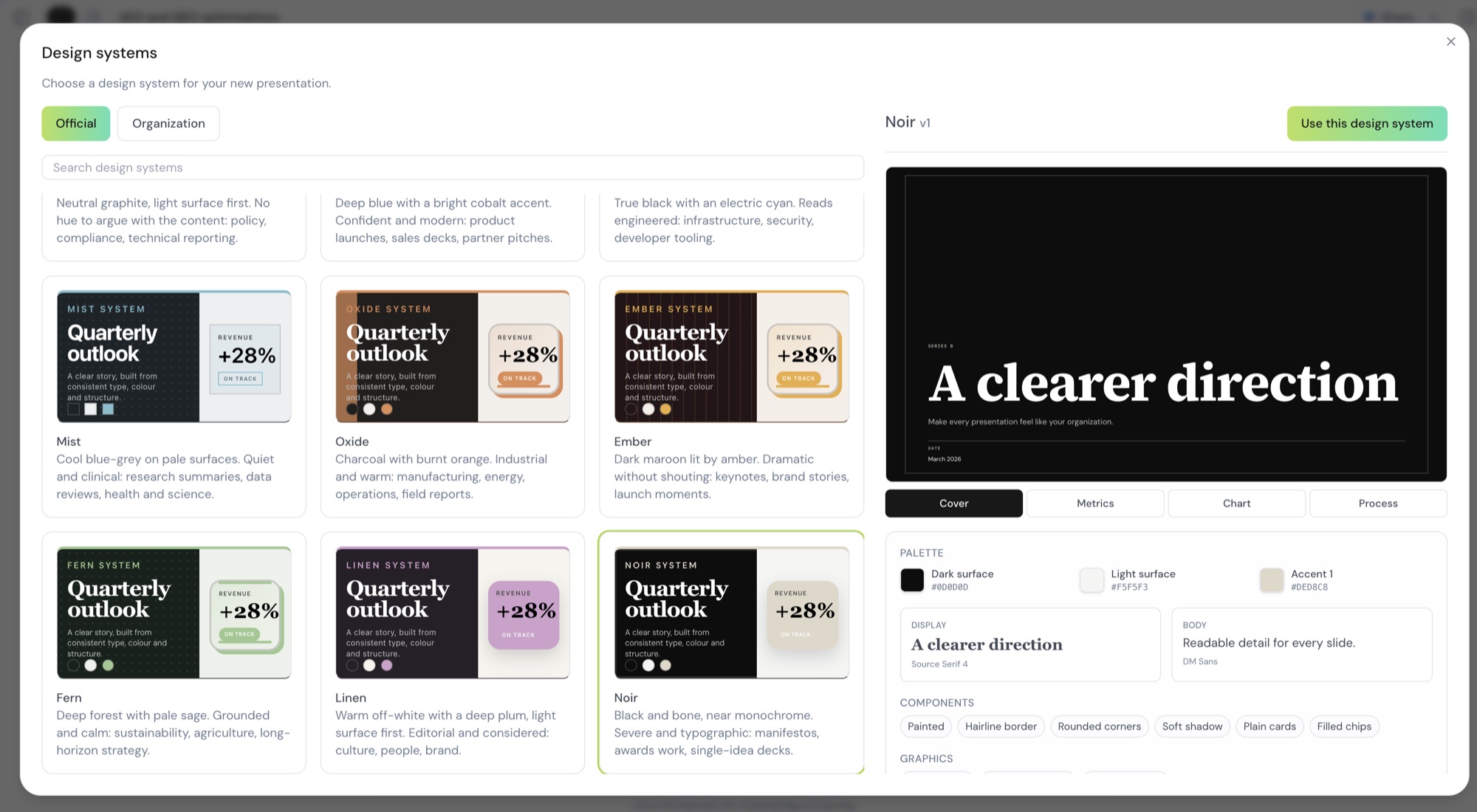
Every deck starts from a Design System. Choose one of the official looks, from quiet and clinical to dark and dramatic, each with its own colors, fonts, and layouts. Or build your organization's own so every deck your team makes looks like it came from the same place. Already have a company template? Attach it and CambrianEdge uses it as the design, no questions asked.
What that gives you:
- Edit by asking. Tell it to tighten the wording on slide four or swap the chart for a table, and only that part changes.
- A full-screen editor. Open the deck, make changes by hand, then jump straight back to the conversation.
- Download any time. The Download button sits right beside Share and always hands you the latest version.
- Nothing gets lost. If you stop a build halfway, you keep what was made. If an edit fails, the deck stays exactly as it was.
04Faster, everywhere you look
Speed is a feature you only notice when it is missing, so we went looking for every place you were kept waiting. Chat is the one you will feel first. Replies start appearing sooner after you hit send, and the full answer finishes sooner too.
The rest of the product picked up pace alongside it:
- Decks build quicker. Wording changes across a presentation now happen side by side instead of one slide at a time, and the first complete deck lands earlier.
- Research and fact-checks wrap up sooner. Each run works to a sensible budget, so you get a clear answer without an open-ended wait.
- Pages and images load faster. Images are lighter, gallery previews come ready-made, and the whole app is served from closer to you.
- Fewer interruptions. You stay signed in more smoothly, dashboards stop refreshing in the background for no reason, and updates no longer reload the page out from under you mid-sentence.
05Research you can read
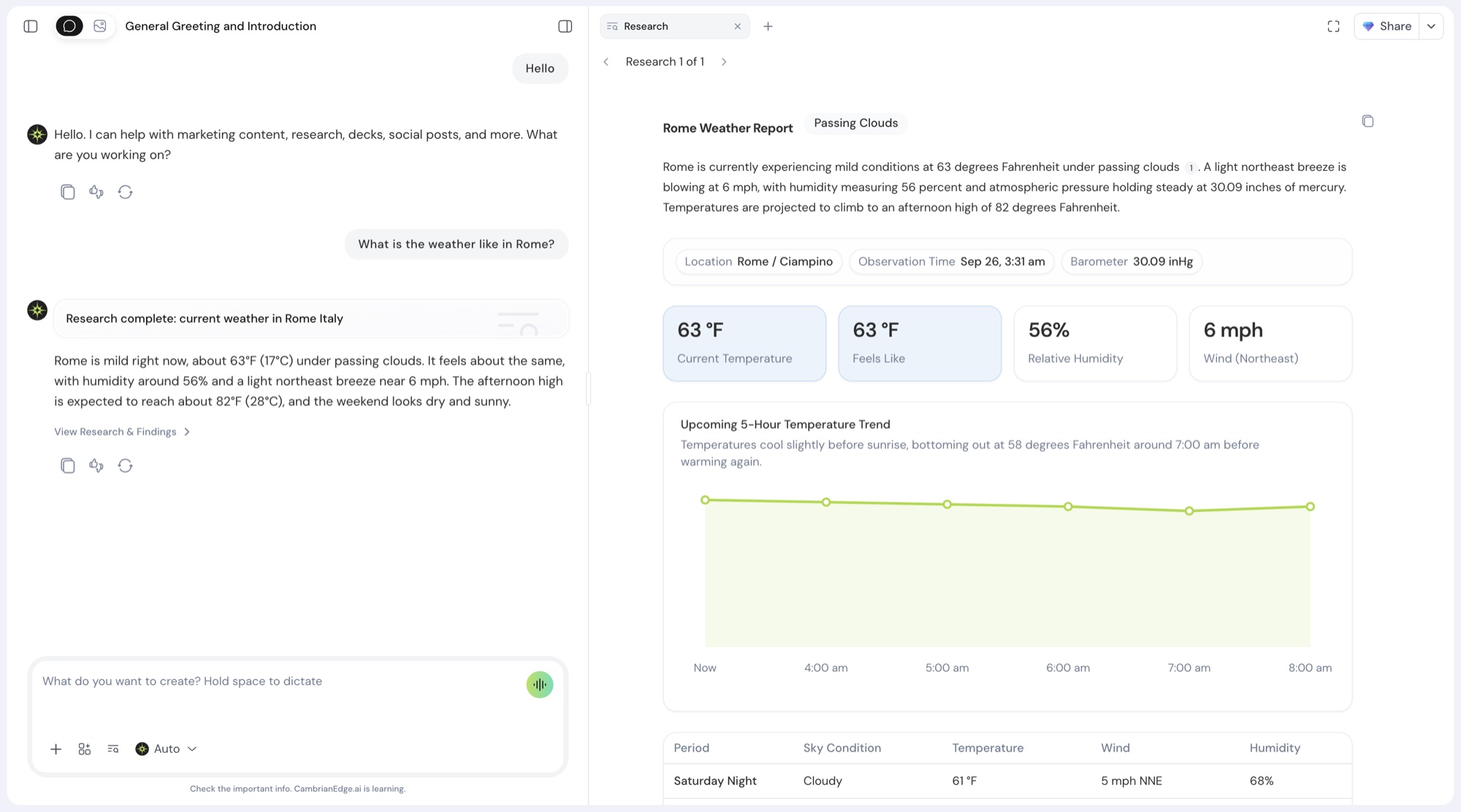
Research used to come back as a long wall of text. Now it arrives as a visual report, laid out on a canvas with headings, tables, and quotes pulled from the pages it read. Every claim points back to the page it came from, so checking a fact takes one click.
Fact-checking got the same care. You can see it working live, source by source, instead of waiting in the dark for a verdict.
06A first day that knows your brand
New to CambrianEdge? Share your website and we read it for you. Your logo, your colors, your industry, and how you talk all land in your Brand DNA before you have typed a single prompt. No website yet? A few quick questions in the chat get you to the same place.
From there, your dashboard suggests starting points picked for your role and the work you told us about. A marketer sees different ideas than a founder, and both get a head start.
You can also mark one Brand DNA as your default. It attaches itself to new image prompts in the gallery, so on-brand visuals no longer need a reminder.
07A smarter model menu
The model menu now groups models by provider, with a short card for each one rating its speed, intelligence, and cost. Star the ones you reach for most and they stay at the top. Search when you know what you want. Older models are still there under a legacy label for anyone who likes the classics.
New to the lineup: Claude Sonnet 5.5, Grok 4.7, GPT Image 2.5 for images, and Seedance 2.5 for video.
08Also in this release
New plans and a free trial make it easier to get started, and our earliest customers now carry the Founding Members badge. Browser notifications reach you even after you close the tab, so a finished job never goes unnoticed. And you can now disconnect apps from the integrations page as easily as you connect them.
Open CambrianEdge today and just use it for a while. You will feel the difference before you can name it.
Stable 30 September 2026